Free on iPhone and Android

Find the best Christmas lights near you.

A map of the homes and streets that light up for Christmas across Australia. Plan your night, mark the displays you have seen, and vote for your favourites.

Made in Brisbane by The Useful Apps.

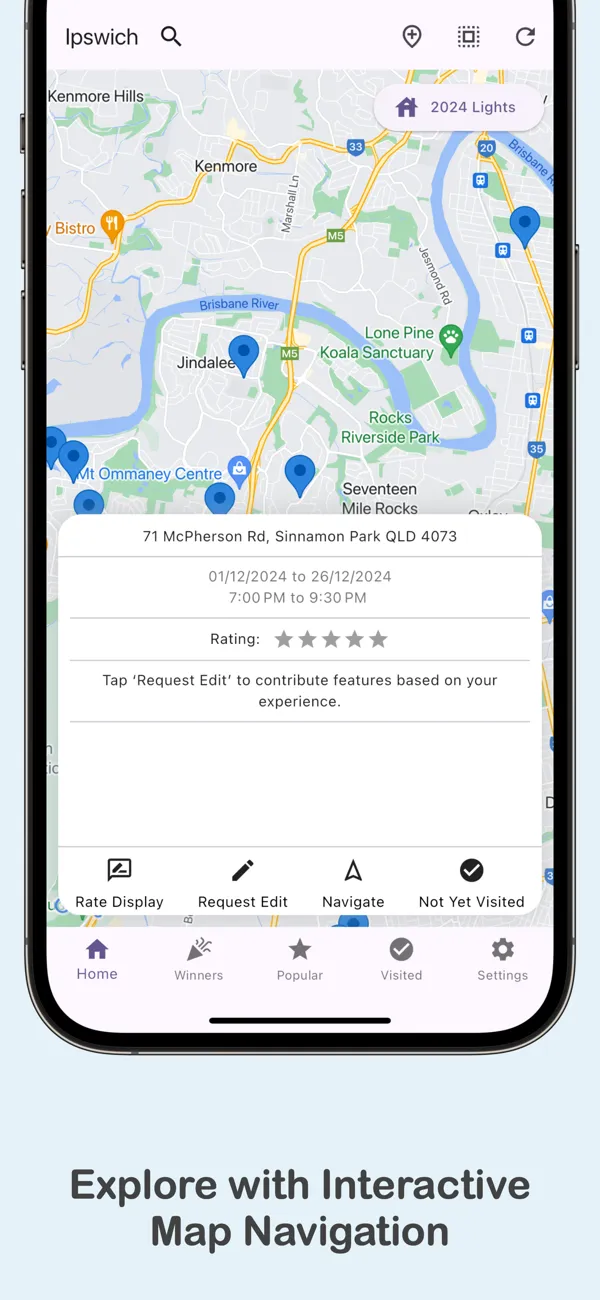
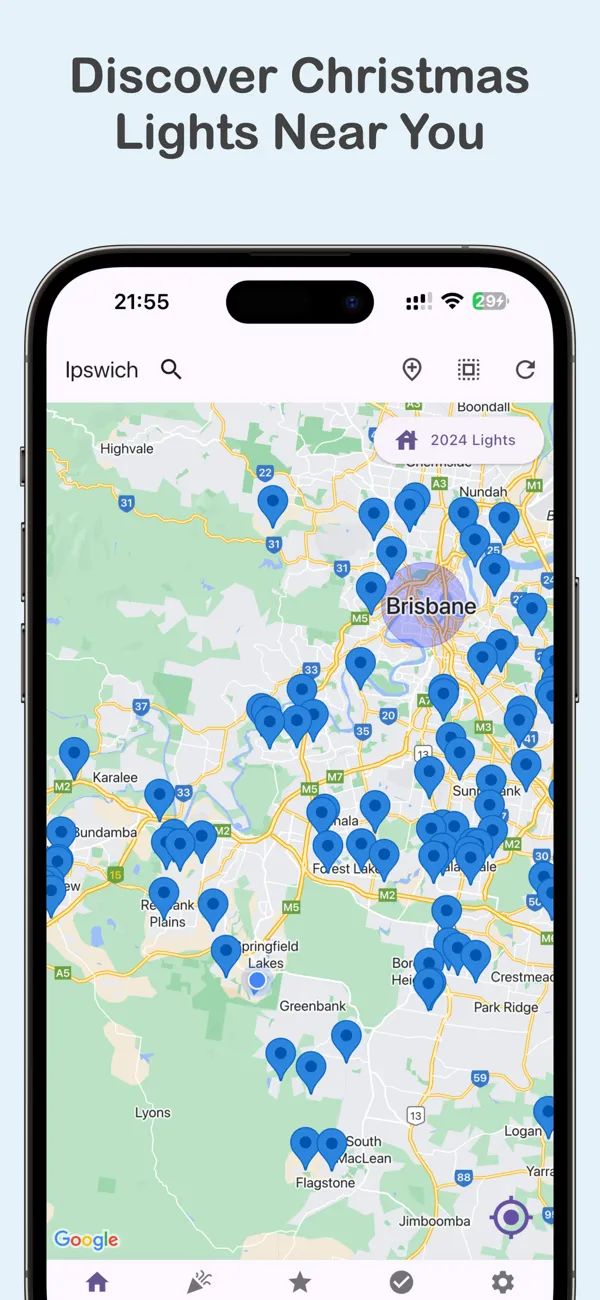
The app map of Brisbane and Ipswich with a pin on each Christmas light display

How it works

Your Christmas lights night, planned in a minute.

1

Open the map

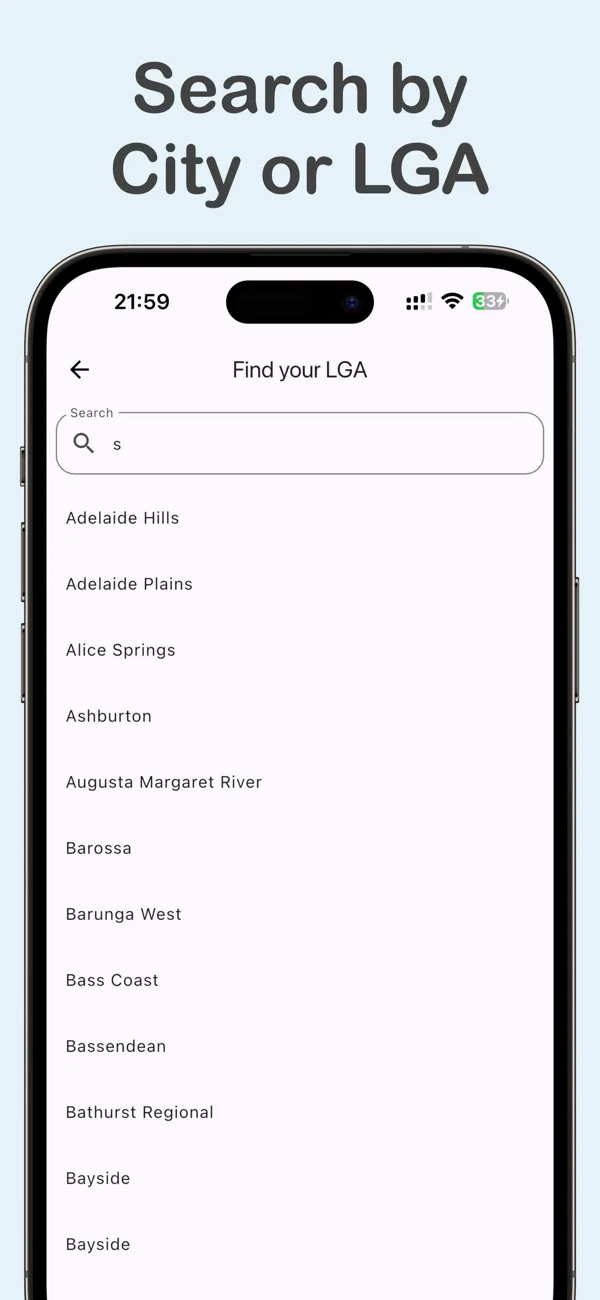
The app shows the displays near you. You can also search by city or council area.

2

Pick your stops

Tap a pin to see the dates, the times and the features. Then tap Navigate to get directions in your maps app or in Waze.

3

Rate what you see

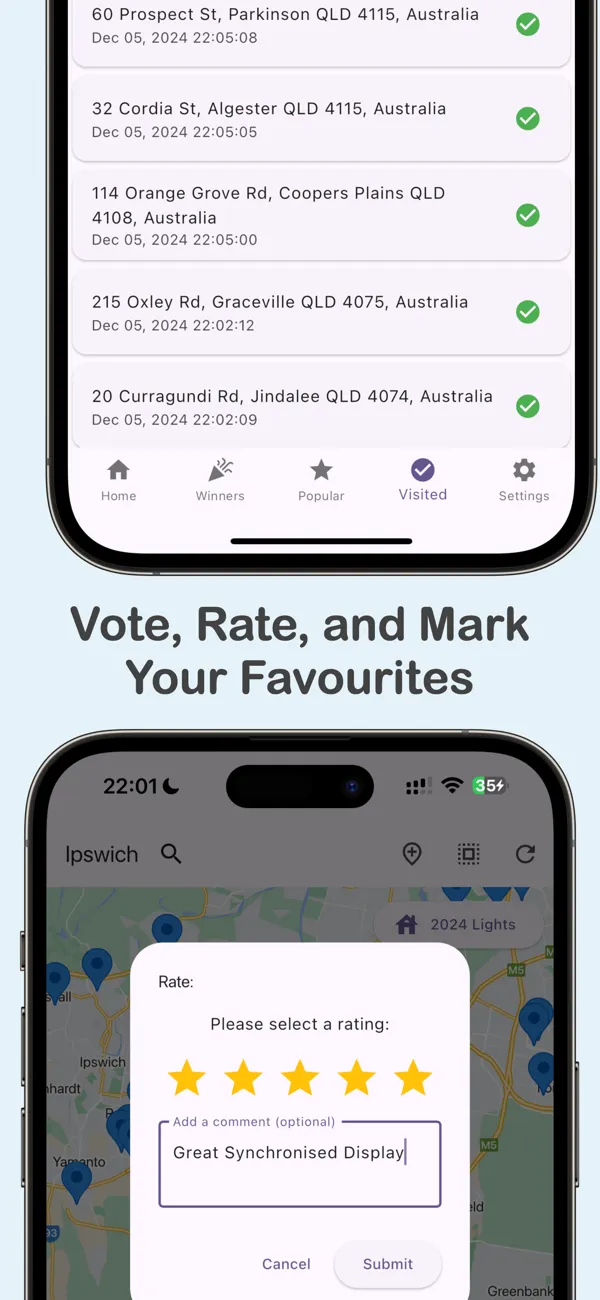
Mark each display as visited. Give it stars and a comment, so other families know where to go next.

Features

Everything you need for a night of lights.

A live map of displays

See every display as a pin, or as clusters and a heat map when you zoom out. Each display shows what makes it special.

Synchronised to music Snow machine Santa visits Walk-through Photo spot
Search by city or council

Jump to any local government area in Australia, from Brisbane to Ballarat.

Ratings and comments

Read what other visitors say. Add your own stars and a short comment.

Competition winners

Find the winners and runners-up of local council light competitions.

Visited list and badges

Keep a list of the displays you have seen. Earn badges as your list grows.

Photos before you go

Owners and visitors add photos, so you can see a display before you drive there.

Share a display

Send a display card to family and friends, so you can all meet there.

For display owners

Put your house on the map.

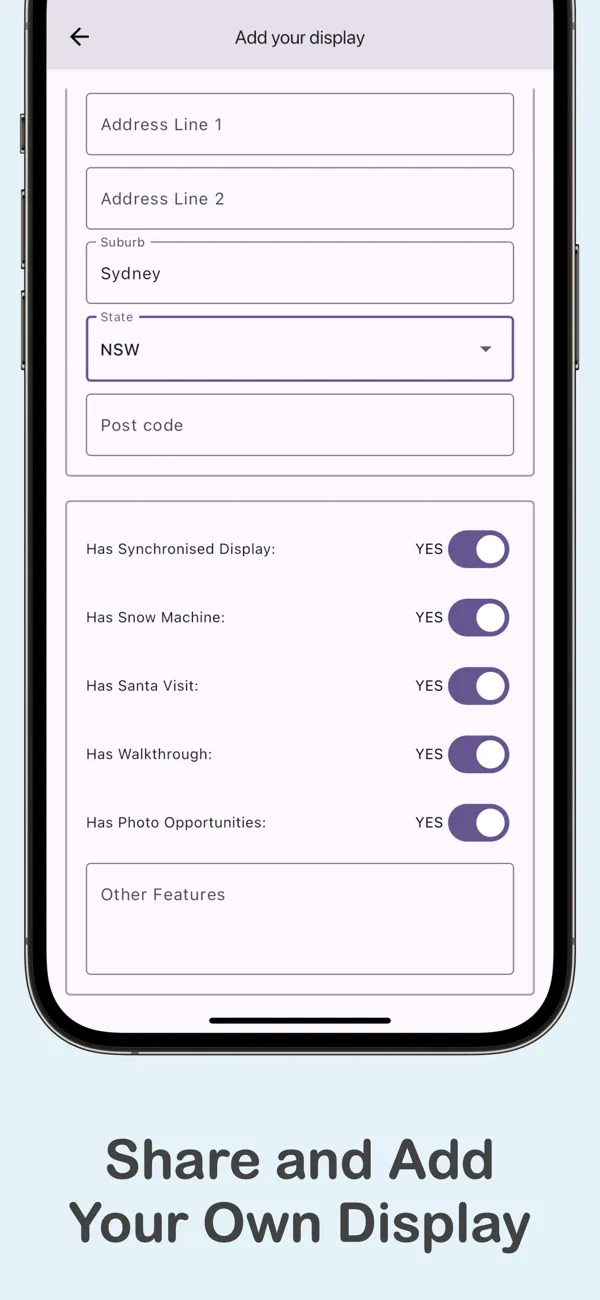
Spent weeks on your lights? Make an account and add your display for free. Families near you will find it on the map.

  • Add your address, your dates and your times.
  • Upload up to five photos of your display.
  • See how many people visit, and read their ratings.
  • Show that you are in a local council competition.

FAQ

Questions from families.

Is the app free?

Yes. The app is free on the App Store and on Google Play. It has no ads and no in-app purchases.

Which areas does it cover?

The app started in South East Queensland and now covers all of Australia. You can search any city or council area. The number of displays in an area depends on the people who add them.

Do I need an account?

No. You can use the map, rate displays and mark visits without an account. You need an account only to add your own display or to upload photos.

How do I add my house?

Open the app and tap the add button on the map. Sign in, then enter your address, your dates and your times. Your display shows on the map at once.

Can I get directions?

Yes. Tap Navigate on any display, and the app opens your maps app. To use Waze, turn it on in Settings.

The lights are on. Go find them.